
What You Must Know About Software Development
Essential IT terminology and concepts every project manager needs to communicate effectively with development teams
Have you ever sat in a meeting where developers are arguing about merging branches or deployment failures and you just nodded along hoping no one would ask for your opinion?
The truth is, you don’t need to know how to write code to be a great project manager—but you must understand the logic of how software is built.
Technical literacy is what separates project managers who earn respect from development teams from those who get dismissed as non-technical. In this guide, you’ll gain a complete mental map of how IT actually works—covering infrastructure, team roles, contracts, budgets, and the professional slang that makes you confident in any technical discussion. This is the foundation that makes everything else work in IT project management.
The Hidden Cost of Technical Confusion in Project Management
When you can’t follow technical conversations, it’s more than just awkward—it creates invisible barriers that destroy team dynamics and project outcomes. Project managers who lack technical literacy struggle with team trust and decision-making authority. The consequences are real and measurable:
- Lost credibility with development teams when you can’t follow basic discussions
- Inability to estimate project timelines accurately because you don’t understand technical complexity
- Poor communication leads to scope creep and budget overruns
- Missing red flags in technical discussions until it’s too late to fix them
Research insight: Project managers who lack technical literacy struggle with team trust and decision-making authority. When PMs can’t follow technical conversations, it creates invisible barriers that destroy team dynamics and project outcomes. The best project managers aren’t necessarily technical experts—but they understand enough to ask the right questions, make informed decisions, and earn the respect of their development teams.
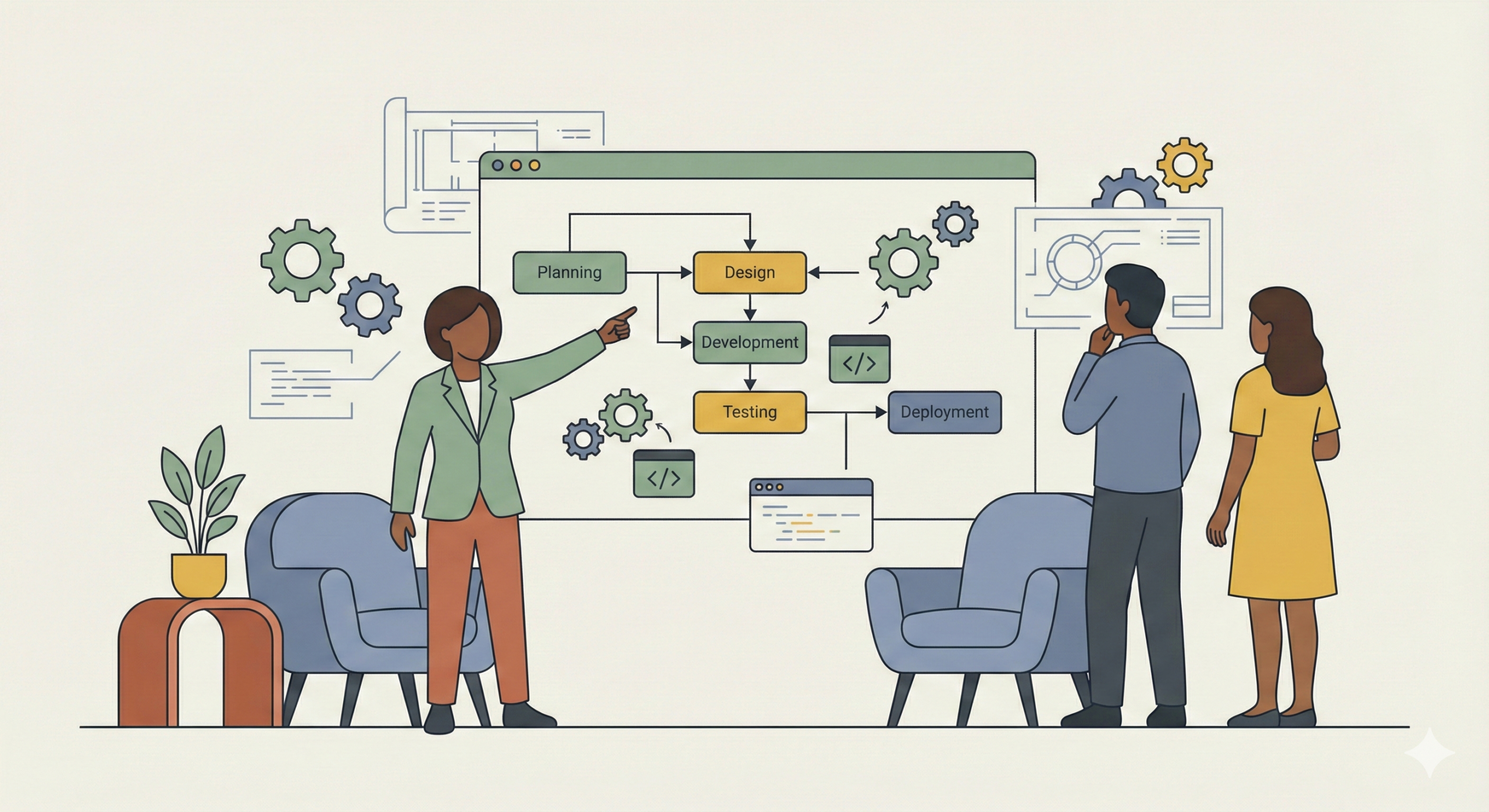
The IT Literacy Blueprint: From Confused to Confident Project Manager
You don’t need to write code—but you need the mental map. Understanding the logic of how software is built transforms you from someone who nods along in meetings to someone who actively contributes to technical discussions. This guide covers infrastructure, team roles, contracts, budgets, and the professional vocabulary that helps you communicate effectively with developers.
6 Practical Steps to Build Your IT Literacy
1. Master the Application Types
Ever struggled to explain why a client needs an iOS app versus a mobile website? The distinction between web and native applications is fundamental. A web application requires a browser and internet connection—think Gmail or Google Docs. You don’t install anything; just open Chrome or Safari, type the URL, and you’re in. The code lives on a server somewhere and your browser is just displaying what the server sends you. A native application installs directly onto your device like Instagram or Spotify, often working offline. This distinction matters because the timeline, budget, and technical requirements differ completely depending on which path you choose.
2. Understand the Infrastructure Trio
Hosting, domain, and URL—three concepts that work together and understanding how they connect is fundamental. Hosting is a server where your site’s files, database, images, videos are stored so they can be accessible on the internet. Think of it like renting a storage space. Domain is the human-readable address like google.com or amazon.com. Without a domain, users would have to type in your server’s IP address—a string of numbers like 192.168.1.1. The domain is essentially a nickname that points to where your site actually lives. URL (uniform resource locator) is the full address including the protocol (HTTPS), the domain, and often a path for a specific page. When someone types your URL, their browser reaches out to your hosting server, grabs the files, and displays them. No hosting, no website. It’s that simple.
3. Navigate Web Product Categories
When a client says “we need a website,” your first question should be “what does it need to do?” CMS (content management systems) like WordPress allow users without programming skills to create and manage websites. Static web applications like landing pages are cheaper and faster to build because they don’t require a database. Dynamic web applications like social networks require databases and back-end logic. E-commerce platforms have specific requirements—product catalogs, shopping carts, payment gateways. You’ve got ready-made solutions like Shopify (simpler) or Magento (more customizable). LMS (learning management systems) deliver educational content like Coursera or corporate training portals. PWA (Progressive Web Application) is a hybrid approach—built with web technologies but behaves like a native app, works offline, and users can install it from the browser.
4. Learn Process Management Vocabulary
You’re going to hear these words every single day in meetings. To assign means allocating a task to a specific person in the system (Jira or Trello)—not just telling them verbally. Backlog is the full list of tasks that need to be done to achieve the project goal. Imagine it like a sales plan—every feature, bug fix, and improvement identified but not yet completed. Ticket or task is a unit of work. Feature is a new piece of functionality (adding a dark mode toggle, for example). Bug is an error in the program operation—when the button doesn’t work or the calculation is wrong. Debugging is the process of finding the cause of an error. Daily meeting or standup is a short 10-15 minute synchronization where everyone says what they did yesterday, what they’re doing today, and if there are any blockers.
5. Grasp Technical Collaboration
GitHub is the service where the project’s code is stored—think Dropbox or Microsoft OneDrive but specifically designed for developers to manage code, track changes, and collaborate. When a developer says “I pushed code to GitHub,” they mean they uploaded their work to the shared repository. To merge is the process of combining code changes made by a developer with the main version. Developers work on their own branches (isolated versions of code) and when their work is ready, they merge it into the main branch. This prevents everyone from stepping on each other’s work. To deploy is the process of updating code on the server so changes become available to end users. That’s when new features actually go live. Backup is a reserve copy of data—if the service crashes or database gets corrupted, you restore from backup. No backup means you’re one technical failure away from losing everything.
6. Know Your Team Roles
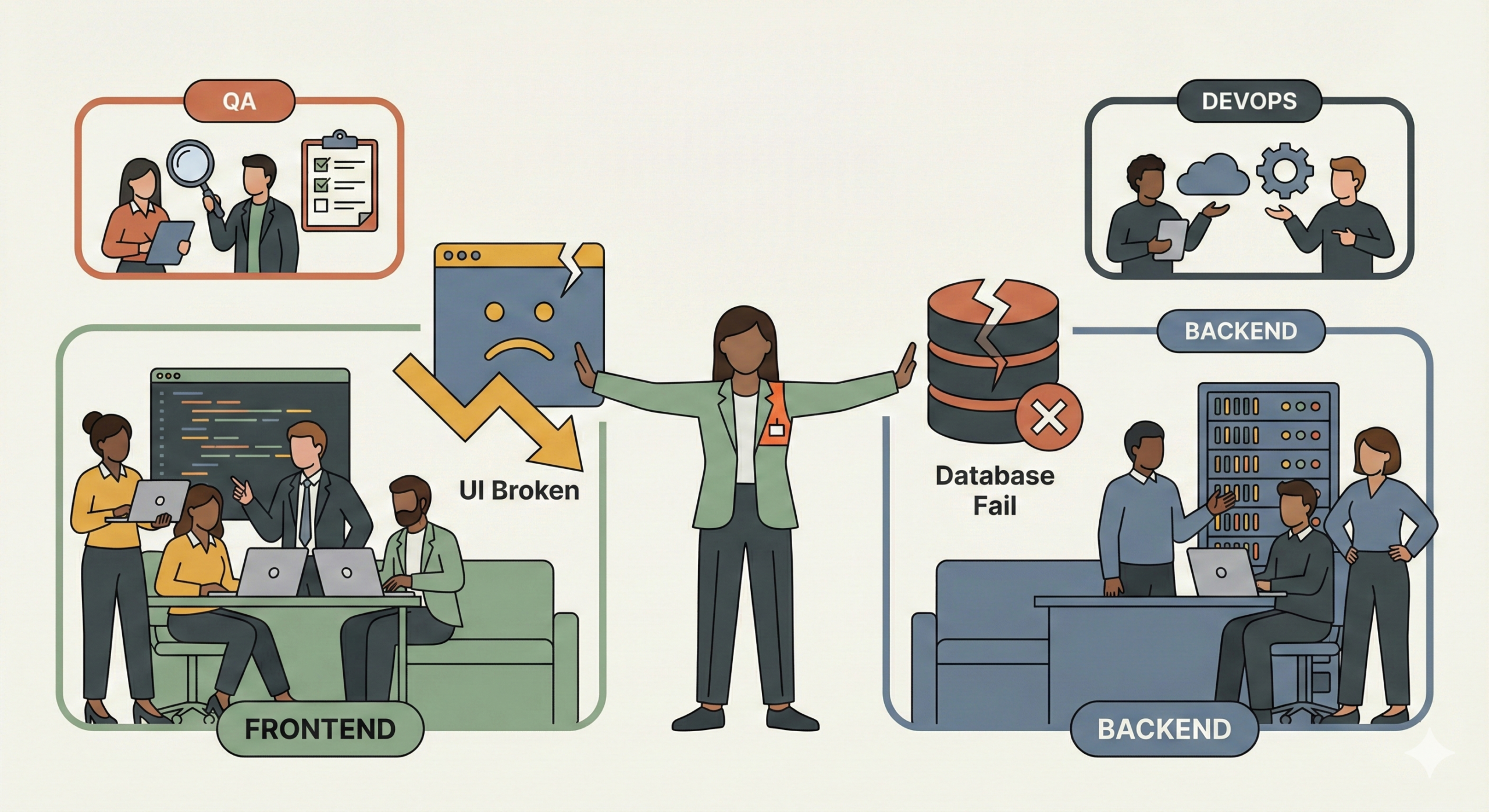
Modern IT companies have clear role divisions and understanding who does what helps you know exactly who to approach when issues arise. Frontend developers own what users see in the browser—the interface, buttons, animations, layouts. If the homepage looks broken (especially on mobile), you’re talking to frontend. Backend developers handle server logic, databases, APIs. When users click submit and the backend processes that data, stores it, and sends confirmation—that’s backend. QA engineer is the tester who checks code quality before deployment—manual QAs click through everything by hand, automation QAs write test scripts that run hundreds of test cases in minutes. DevOps is responsible for processes, servers, and infrastructure—they ensure applications don’t crash when traffic spikes and manage deployments. Emerging roles to watch: ML engineers build predictive models, data scientists analyze patterns, and AI engineers integrate artificial intelligence into products.
Key insight: Modern IT companies evolved from freelancers hiring friends into structured organizations with clear role divisions. Understanding who owns which part of a problem helps you communicate more effectively—you won’t ask a frontend developer to fix database issues or a backend developer why a button is misaligned. The IT sector often evolved from one engineer picking up clients, then hiring friends to help, and that’s how companies appeared. But in modern companies, there’s a clear division of roles and you need to understand who does what.
Understanding Project Estimation
One of the most important skills in project management is estimation—and this is where projects go off the rails. A developer shouldn’t start a task until they’ve estimated how long it will take. There are three concepts you need to burn into your brain. Estimate is the planned time—a developer looks at a task and says “I think this will take me eight hours.” Underestimate is when you spend more time than planned—the task you thought would take eight hours actually took twelve. This is dangerous because it eats into your budget and timeline. Overestimate is when you spend less time than planned—you thought it would take eight hours but finished in five. This is less common but also happens. The reason this matters is that your entire project timeline is built on these estimates. A good project manager helps the team get better at estimation over time by tracking actual versus estimates and discussing what went wrong or right.
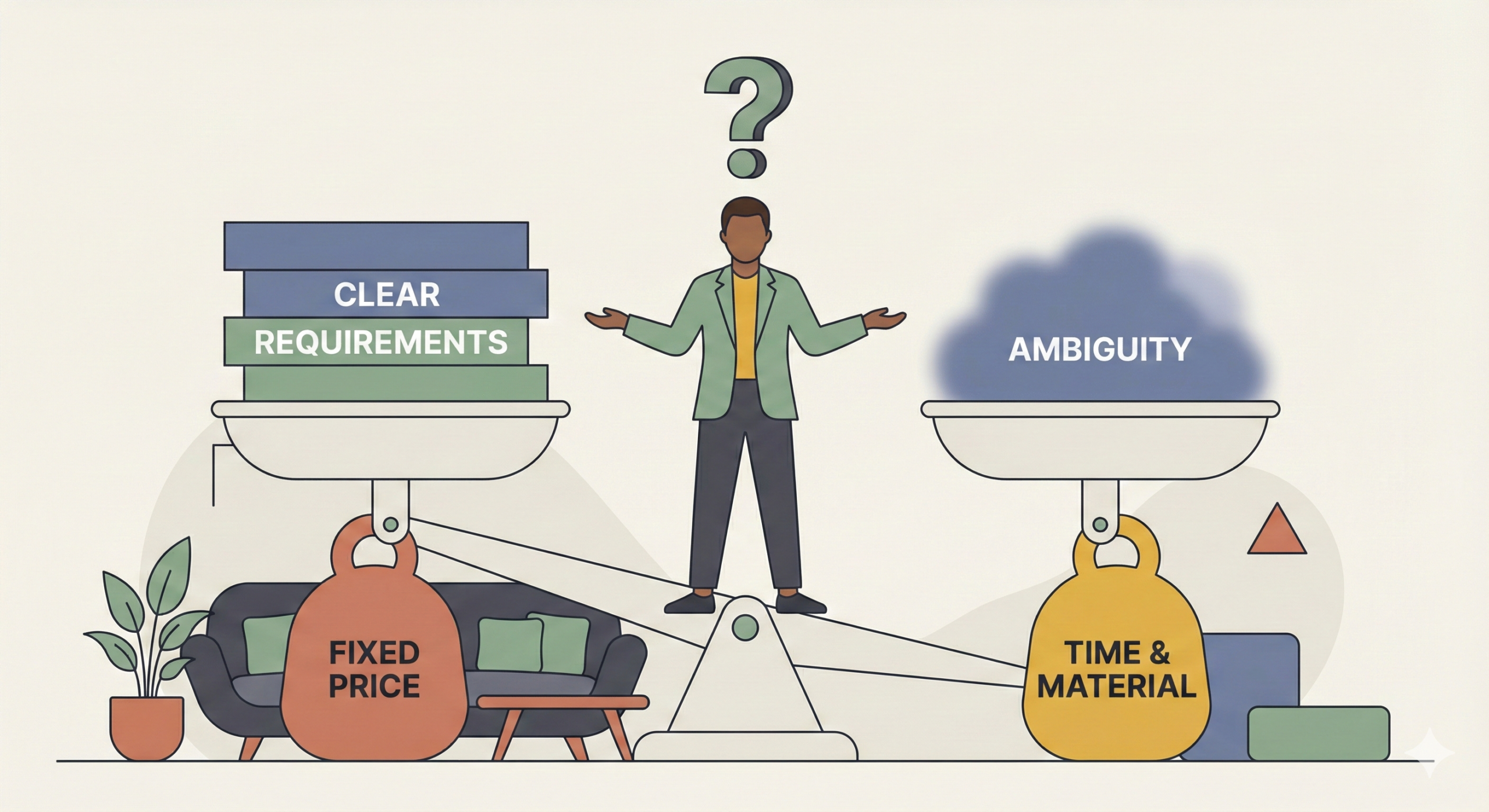
Software Development Contract Models
There’s a question that gets asked constantly in job interviews about types of contracts in IT and software development. There are two main models and each one shifts risk in a completely different direction. Fixed price is a fixed price for a specific scope of work by a specific date. Here’s an analogy: we agreed I would make you 10 bouquets for $100 by Friday. If the price of flowers doubles halfway through the week, I lose money. But you still pay $100. The risk is on me, the vendor. If anything goes wrong—if the work takes longer, if requirements were unclear, if the tech is more complex—I’m eating the cost. This contract type is only suitable when there are very clear, unchanging requirements. If the client keeps changing their mind or if the scope isn’t locked down, fixed price becomes a nightmare.
Time and material is payment for time spent. You pay an hourly rate for the specialist’s work and if requirements change or difficulties arise during the process, the client pays for the extra time. This is way safer for the vendor and more flexible for the client if requirements aren’t fully clear at the start. The trade-off is that the client doesn’t have a fixed budget upfront—they’re paying for however long it takes. So when scoping a project, you need to ask: how locked down are the requirements, how much uncertainty is there? If everything is crystal clear and documented, fixed price can work. If there’s ambiguity or the client is still figuring things out, time and material is a safer bet.
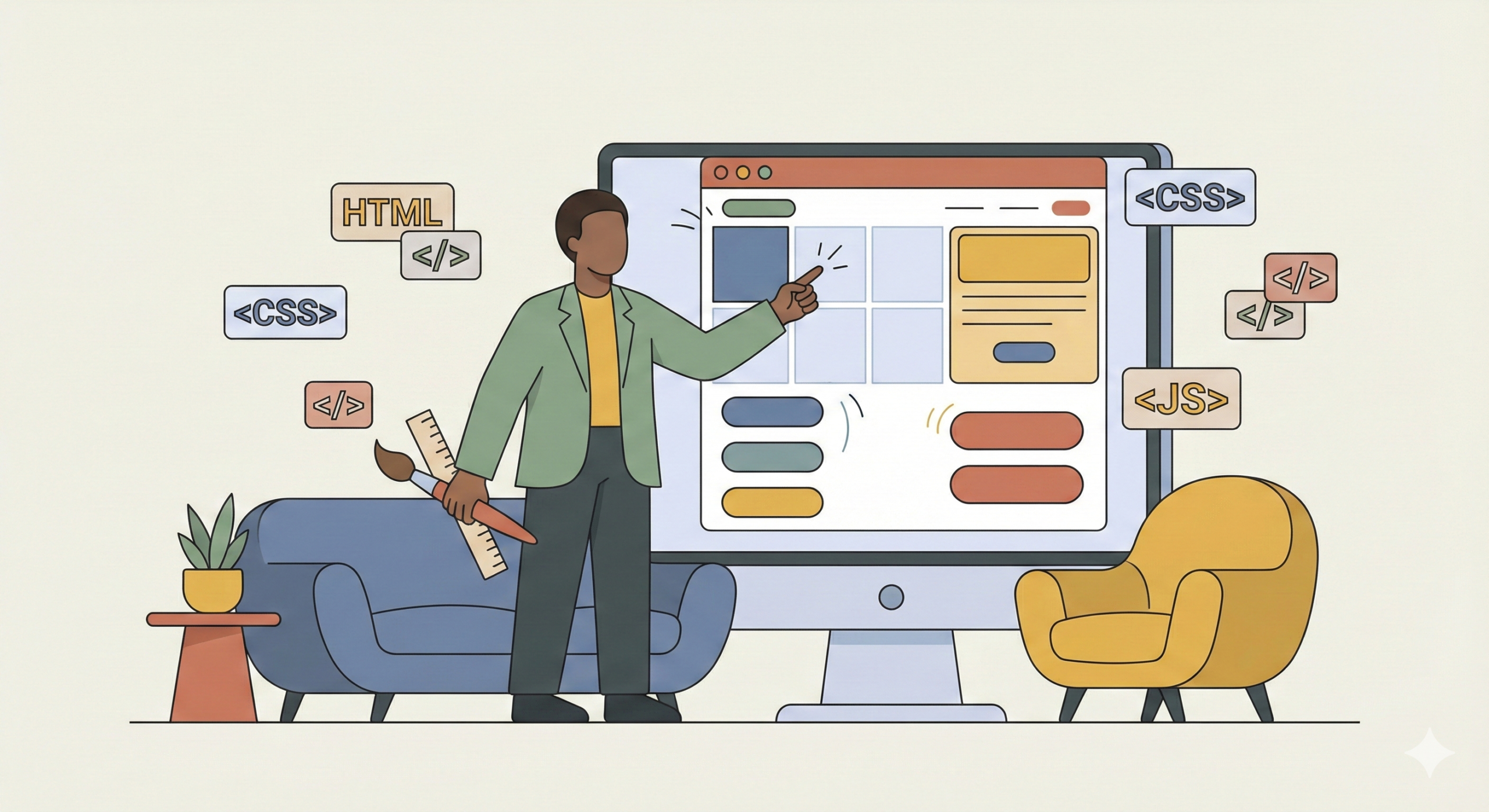
Choosing the Right Task Tracker
In your work, you’re going to be using task trackers and the most popular tools come from the company Atlassian—Jira and Trello. Jira is a powerful tool for large projects with robust reporting, custom workflows, sprint planning, burndown charts—basically everything you need to manage complex software development. It’s also a bit overwhelming when starting out. Trello is a simplified home version that’s perfect for learning or smaller tasks. It’s visual, intuitive, and you can get up and running in five minutes. And yes, you can manage your project in both—Jira and Trello—depending on your needs. The tool matters less than having a system to track work, assign tasks, and maintain accountability.
Success Story
Project managers who invested in understanding these IT fundamentals report significantly improved relationships with development teams. They can follow technical discussions without constantly asking for clarification, spot potential issues early, estimate more accurately, and earn genuine respect from developers. Technical literacy is what separates someone who gets respect in meetings from someone who gets dismissed as non-technical.
Technical Literacy Is Your Competitive Advantage
The best project managers aren’t necessarily technical experts—but they understand enough to ask the right questions, make informed decisions, and earn the respect of their development teams. You don’t need to know how to write code, but you must understand the logic of how software is built.
When you master these fundamentals—application types, infrastructure, product categories, process vocabulary, collaboration tools, team roles, contract models—you’ve built the foundation that makes everything else work in IT project management.
By understanding the mental map of how IT actually works, you transform from someone who nods along in meetings to someone who actively contributes to technical discussions. You can estimate more accurately, communicate more effectively, and lead with confidence. This is the base that makes everything else work.
Ready to level up your project management skills?
Connect on LinkedInContinue Building Your PM Toolkit
Join our newsletter for weekly IT literacy tips and project management best practices that help you communicate effectively with development teams